IT Insider • Weekly Brief
IT Insider: Appliance Exploits, Copilot DLP Controls, Windows Update 2027 Prep, and Remote Access GA
IT INSIDER
The Weekly Brief for Sysadmins, Cloud Admins & Security Pros
No hype. No buzzwords. Just the IT changes that actually require attention.
━━━━━━━━━━━━━━━━━━━━━━━━━━
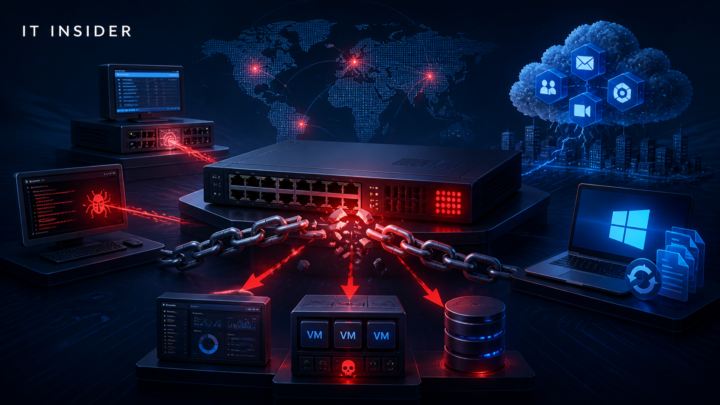
This week centers on rapid patching for network and backup appliances under active attack, new Microsoft Purview DLP controls for Copilot safety, planning for Windows Update trust certificate rotations in 2027, and the GA of Remote PC connections in the Windows App. Focus on accelerating remediation for SonicWall/Citrix/AhsayCBS, strengthening AI governance and DLP posture for Copilot, and validating resilience against third‑party cloud incidents.
━━━━━━━━━━━━━━━━━━━━━━━━━━
1. CRITICAL SECURITY ALERTS
Active exploitation of critical SonicWall SMA1000 vulnerability (CVE-2026-102255)
Vendor / Product: SonicWall SMA1000 appliances
Category: Active exploitation / Critical vulnerability
Risk Level: Critical
Administrator Impact: Unpatched SMA1000 devices are being targeted; compromise can enable lateral movement and persistent access.
Business Impact: Potential data theft, network compromise, and operational disruption.
Required Administrator Action: Identify SMA1000 appliances and apply the vendor patch immediately. If patching is delayed, isolate affected devices, monitor for signs of compromise, and review firewall/VPN logs and IDS/IPS telemetry.
Source: https://www.bleepingcomputer.com/news/security/max-severity-sonicwall-sma1000-flaw-now-exploited-in-attacks/
──────────────────────────
Unpatched AhsayCBS backup platform flaws exploited for webshells and crypto mining
Vendor / Product: AhsayCBS backup management platform
Category: Active exploitation / Backup infrastructure compromise
Administrator Impact: Attackers are deploying webshells and cryptocurrency miners via one critical and one medium-severity unpatched flaw.
Business Impact: High risk to data protection due to backup system compromise; potential data exposure and operational degradation.
Required Administrator Action: Apply available patches or mitigations immediately. Audit backup servers for unknown webshells and crypto-mining activity, review access logs, rotate credentials used by backup services, and ensure backups are isolated and protected.
Source: https://www.bleepingcomputer.com/news/security/unpatched-ahsaycbs-flaws-exploited-to-deploy-webshells-mine-crypto/
──────────────────────────
Citrix urges immediate patching for critical NetScaler ADC/Gateway RCE
Vendor / Product: Citrix NetScaler ADC and NetScaler Gateway
Category: Critical vulnerability / Remote code execution
Risk Level: Critical
Administrator Impact: Unpatched appliances could allow remote code execution, potentially bypassing access controls to internal resources.
Business Impact: Compromise of remote access gateways can lead to widespread environment access and follow-on attacks.
Required Administrator Action: Inventory NetScaler/ADC/Gateway devices, apply Citrix patches or mitigations immediately, verify management interfaces aren’t exposed publicly, and review logs for unusual authentication or configuration changes.
Source: https://www.bleepingcomputer.com/news/security/citrix-warns-admins-to-patch-new-netscaler-rce-flaw-immediately/
──────────────────────────
Ransomware incident disrupts IDCF Cloud
Vendor / Product: IDC Frontier IDCF Cloud (eastern Japan data center cluster)
Category: Ransomware / Cloud service disruption
Administrator Impact: Outage impacting government clients underscores dependency on third-party cloud operations.
Business Impact: Potential downtime for hosted workloads and complications for incident response and recovery.
Required Administrator Action: Review third-party incident response and fallback plans, validate provider SLAs and BCDR processes, replicate critical data where appropriate, monitor provider advisories, and assess impact to connected systems.
Source: https://www.bleepingcomputer.com/news/security/ransomware-attack-disrupts-japans-idcf-cloud-used-by-govt-clients/
──────────────────────────
2. ACTIVELY EXPLOITED VULNERABILITIES
SonicWall SMA1000 critical flaw (CVE-2026-102255) under active exploitation
Vendor / Product: SonicWall SMA1000
What is happening: Threat actors are exploiting a critical vulnerability shortly after a vendor patch release.
Why it matters: SMA devices often front remote access; compromise can enable lateral movement and persistent footholds.
Required Action: Patch immediately; if delayed, isolate devices, intensively monitor VPN/firewall logs and IDS/IPS, and hunt for compromise.
Source: https://www.bleepingcomputer.com/news/security/max-severity-sonicwall-sma1000-flaw-now-exploited-in-attacks/
──────────────────────────
AhsayCBS backup platform flaws actively exploited
Vendor / Product: AhsayCBS
What is happening: Attackers leverage one critical and one medium-severity unpatched flaw to deploy webshells and miners.
Why it matters: Backup platforms hold broad access to sensitive data and systems; compromise jeopardizes recovery and data integrity.
Required Action: Apply vendor patches/mitigations, scan for webshells/miners, review access logs, rotate backup service credentials, and harden backup isolation.
Source: https://www.bleepingcomputer.com/news/security/unpatched-ahsaycbs-flaws-exploited-to-deploy-webshells-mine-crypto/
──────────────────────────
3. MICROSOFT UPDATES
Purview DLP: Block Copilot grounding on external emails
What changed: New Purview DLP policy option prevents Microsoft 365 Copilot from grounding responses on emails received from external senders by evaluating sender metadata.
Administrator Impact: Reduces the risk of prompt-injection or manipulated external content influencing Copilot results without changing mail flow.
Required Action: Create a Purview DLP policy for the “Microsoft 365 Copilot and Copilot Chat” location using the condition “Email is received from > External users.” Start in simulation mode, validate impact, then enforce.
Source: https://techcommunity.microsoft.com/t5/microsoft-security-community/protecting-organizations-from-external-email-risks-in-microsoft/ba-p/4562820
──────────────────────────
Purview DLP: Per‑prompt blocking of Copilot external web search when sensitive data is present
What changed: Purview DLP can prevent Copilot from performing external web searches for a prompt when configured sensitive information types (SITs) are detected (e.g., credit cards, passports, SSNs).
Administrator Impact: Adds data‑aware control over web search that complements global on/off toggles, reducing the chance of sensitive data leakage to external services.
Required Action: Create a Purview DLP policy targeting Copilot/Copilot Chat to detect relevant SITs and set action to prevent external web search. Use simulation mode first and include industry-specific or custom SITs.
Source: https://techcommunity.microsoft.com/t5/microsoft-security-community/why-dlp-for-external-web-search-in-microsoft-365-copilot-matters/ba-p/4562818
──────────────────────────
Microsoft AI and Agent Platform: Security and governance architecture
What changed: Microsoft published guidance on end‑to‑end security for agentic systems, outlining controls across interaction channels, agent runtimes, models, grounding, build pipelines, posture management, and security operations. Introduces Agent Hooks and the Agent Control Specification (ACS) for policy interception and governance.
Administrator Impact: Clarifies how to treat agents as governed systems with identity, least privilege, isolation, DLP, auditing, and continuous posture management.
Required Action: Inventory enterprise agents; apply least privilege to tools/APIs; enforce policy interception with Agent Hooks/ACS where available; use model catalogs and content safety; run risky actions in isolated runtimes (e.g., containers/MXC/Windows 365 for agents); route posture/telemetry to Defender/Sentinel for operations.
Source: https://techcommunity.microsoft.com/t5/microsoft-security-community/the-microsoft-ai-and-agent-platform-securing-and-governing/ba-p/4562204
──────────────────────────
Prepare for Windows Update trust certificate rotations in 2027
What changed: Microsoft announced that a set of Windows Update trust certificates will expire on May 17 and June 19, 2027. Devices not updated with the relevant security updates will lose connectivity to Windows Update services after those dates.
Administrator Impact: Older/specific Windows versions may require targeted updates to maintain Windows Update connectivity beyond these dates.
Required Action: Inventory devices, identify OS versions needing specific security updates, deploy required updates via Microsoft Update Catalog or management tools, and plan upgrades for unsupported systems.
Deadline: May 17, 2027 and June 19, 2027
Source: https://techcommunity.microsoft.com/t5/windows-it-pro-blog/prepare-for-windows-update-certificate-rotation-in-2027/ba-p/4562463
──────────────────────────
Windows App on Windows: Remote PC connections now GA
What changed: General availability of Remote PC connections in the Windows App, allowing users to manage direct RDP‑style connections to physical/virtual PCs alongside Windows 365, Azure Virtual Desktop, and Dev Box.
Administrator Impact: Centralizes remote access workflows and may affect access policies, Conditional Access, and network rules.
Required Action: Update the Windows App for users; ensure Remote Desktop is enabled on target PCs; review Conditional Access and firewall rules for RDP endpoints; update user documentation/training including resource redirection settings.
Source: https://techcommunity.microsoft.com/t5/windows-it-pro-blog/remote-pc-connections-in-windows-app-on-windows-is-now-generally/ba-p/4561186
──────────────────────────
4. CLOUD & INFRASTRUCTURE UPDATES
Windows App: Remote PC connections GA for unified remote access
What changed: Windows App now supports GA for Remote PC connections, consolidating direct RDP with Windows 365, Azure Virtual Desktop, and Dev Box access.
Why it matters: Simplifies remote access management and user experience across on‑prem and cloud-hosted Windows resources.
Required Action: Roll out the latest Windows App; verify Remote Desktop settings on target systems; align Conditional Access and firewall policies; refresh end‑user guides and support procedures.
Source: https://techcommunity.microsoft.com/t5/windows-it-pro-blog/remote-pc-connections-in-windows-app-on-windows-is-now-generally/ba-p/4561186
──────────────────────────
IDCF Cloud ransomware incident highlights provider dependency risk
What changed: IDC Frontier reported a ransomware attack impacting its IDCF Cloud at an eastern Japan data center cluster used by government clients.
Why it matters: Third‑party cloud incidents can immediately disrupt critical workloads and complicate incident response for customers.
Required Action: Review provider SLAs and BCDR commitments; validate failover and data replication strategies; document provider incident communications; assess impacts on connected systems and adjust monitoring/alerts.
Source: https://www.bleepingcomputer.com/news/security/ransomware-attack-disrupts-japans-idcf-cloud-used-by-govt-clients/
──────────────────────────
5. AI & GOVERNANCE UPDATES
Microsoft AI and Agent Platform: End‑to‑end agent security and governance
What changed: Guidance details controls for agent identity, least privilege, runtime isolation, model governance, DLP, auditing, posture management, and operations. Introduces Agent Hooks and Agent Control Specification (ACS) for policy interception.
Why it matters: Agentic systems expand the enterprise attack surface by invoking tools, data, and code with delegated authority. Central governance and interception points are necessary for safety and auditability.
Required Action: Inventory all agents; enforce least privilege on tools/APIs; adopt Agent Hooks/ACS where available; isolate risky actions (e.g., containers/MXC/Windows 365 for agents); route telemetry to Defender/Sentinel; maintain model catalogs and content safety checks.
Source: https://techcommunity.microsoft.com/t5/microsoft-security-community/the-microsoft-ai-and-agent-platform-securing-and-governing/ba-p/4562204
──────────────────────────
Purview DLP safeguards for Copilot grounding and web search
What changed: New DLP controls prevent Copilot from grounding on external emails and block external web searches when sensitive information is detected in prompts.
Why it matters: Reduces exposure to cross‑prompt injection and inadvertent data leakage to external services, while preserving user access and productivity.
Required Action: Configure Purview DLP policies for Copilot/Copilot Chat in simulation, validate effects, then enforce for external emails and SIT‑based web search blocking.
Source: https://techcommunity.microsoft.com/t5/microsoft-security-community/protecting-organizations-from-external-email-risks-in-microsoft/ba-p/4562820
──────────────────────────
6. COMPLIANCE & DATA PROTECTION
Block Copilot grounding on external emails with Purview DLP
What changed: Purview DLP can exclude emails from external senders as grounding sources for Copilot by evaluating accepted domains and sender metadata.
Why it matters: Mitigates risks from external content manipulation and prompt‑injection affecting Copilot outputs.
Required Action: Create and test a DLP policy for the “Microsoft 365 Copilot and Copilot Chat” location with the “Email is received from > External users” condition; move from simulation to enforcement after validation.
Source: https://techcommunity.microsoft.com/t5/microsoft-security-community/protecting-organizations-from-external-email-risks-in-microsoft/ba-p/4562820
──────────────────────────
Per‑prompt DLP for Copilot external web search
What changed: Purview DLP can block external web searches for individual prompts containing configured sensitive information types (SITs).
Why it matters: Prevents sensitive data from influencing outbound search queries and leaking to external services.
Required Action: Define a DLP policy for Copilot/Copilot Chat to detect relevant SITs (including custom/industry-specific) and block external web searches; start in simulation mode to tune detections.
Source: https://techcommunity.microsoft.com/t5/microsoft-security-community/why-dlp-for-external-web-search-in-microsoft-365-copilot-matters/ba-p/4562818
──────────────────────────
7. DEADLINES & UPCOMING CHANGES
Item: Windows Update trust certificate rotation
Vendor: Microsoft
Deadline: May 17, 2027 and June 19, 2027
Action Required: Ensure devices install the referenced security updates before these dates to maintain connectivity to Windows Update; inventory older OS versions and plan upgrades where needed.
──────────────────────────
8. TOP UPDATES EVERY SYSADMIN SHOULD KNOW THIS WEEK
1. Patch SonicWall SMA1000 immediately; active exploitation reported.
2. Apply Citrix NetScaler ADC/Gateway RCE patches now and lock down management interfaces.
3. Patch and audit AhsayCBS backup servers for webshells/miners; rotate backup credentials and verify isolation.
4. Enable Purview DLP to prevent Copilot grounding on external emails; start in simulation mode.
5. Deploy Purview DLP to block Copilot external web search when sensitive data is detected in prompts.
6. Plan for Windows Update certificate rotations in 2027; inventory OS versions and deploy required updates.
7. Roll out Windows App Remote PC connections GA; align Conditional Access and firewall rules.
8. Adopt Microsoft agent governance: inventory agents, enforce least privilege, and enable Agent Hooks/ACS where available.
9. Review third‑party cloud incident response and BCDR posture in light of the IDCF Cloud ransomware disruption.
10. Increase monitoring on remote access and VPN appliances; review authentication and configuration change logs.
──────────────────────────
9. TOP INDUSTRY TRENDS THIS WEEK
1. Several stories highlight rapid exploitation of edge and management appliances (SonicWall, AhsayCBS), underscoring the need for accelerated patching and monitoring.
2. Vendors are emphasizing AI governance and control points (Agent Hooks/ACS) as agents gain delegated authority and access to sensitive tools and data.
3. Data‑aware DLP for AI (Copilot grounding and web search) is becoming essential to prevent prompt‑driven leakage without impairing user access.
4. Third‑party cloud incidents (IDCF Cloud ransomware) reinforce the importance of provider risk management and tested BCDR strategies.
5. Unified remote access experiences (Windows App Remote PC GA) continue to converge on centralized management and policy controls.
──────────────────────────
10. IMMEDIATE ACTION CHECKLISTS
SECURITY TEAMS
• SonicWall SMA1000: Patch immediately; if delayed, isolate devices and hunt for compromise using VPN/firewall logs and IDS/IPS.
• Citrix NetScaler/ADC/Gateway: Apply urgent RCE patches; ensure management interfaces are not publicly exposed; monitor for unusual auth/config changes.
• AhsayCBS: Patch/mitigate now; scan for webshells and crypto miners; review access logs; rotate backup service credentials; validate backup isolation.
• Increase monitoring on remote access gateways and backup platforms; review authentication anomalies and new outbound connections.
• For AI agents: enforce least privilege for tools/APIs; isolate risky actions (containers/MXC/Windows 365 for agents); route telemetry to Defender/Sentinel.
MICROSOFT 365 ADMINS
• Create Purview DLP policy to block Copilot grounding on external emails; test in simulation before enforcing.
• Create Purview DLP policy to block external web search for prompts containing configured SITs; include industry‑specific/custom SITs.
• Adopt Microsoft agent governance guidance: inventory agents, apply identity/least privilege, and implement Agent Hooks/ACS where available.
• Update the Windows App and publish user guidance for Remote PC connections; review Conditional Access and device compliance impacts.
AZURE ADMINS
• If using Azure Virtual Desktop or Windows 365, validate Windows App Remote PC integration and align Conditional Access, network rules, and resource redirection settings.
• Feed agent telemetry into Defender and Sentinel for ongoing operations where applicable.
CLOUD TEAMS
• Review third‑party cloud SLAs and BCDR processes; ensure critical workloads have replication/failover strategies.
• Document provider incident notification paths and integrate with internal incident response runbooks.
• Assess dependencies and potential blast radius from provider outages; adjust monitoring/alerts accordingly.
INFRASTRUCTURE TEAMS
• Inventory Windows devices for 2027 Windows Update certificate rotation readiness; deploy required security updates and plan upgrades for unsupported systems.
• Harden and patch network/remote access appliances (SonicWall, NetScaler) and restrict management exposure.
• Enable and test Windows App Remote PC connections; ensure RDP and firewall configurations are correct.
NETWORK TEAMS
• Immediately patch Citrix NetScaler ADC/Gateway and verify no public exposure of management interfaces.
• Patch SonicWall SMA1000; implement enhanced logging and alerting on VPN events.
• Review firewall and IDS/IPS telemetry for indicators related to current exploitation campaigns.
COMPLIANCE TEAMS
• Work with M365 admins to implement Purview DLP policies for Copilot external email grounding and SIT‑based web search blocking; document policy exceptions and approvals.
• Ensure auditing and retention are enabled for agent activity; confirm logs feed into security operations (e.g., Defender/Sentinel).
• Validate that backup systems (AhsayCBS) meet segregation, access control, and monitoring requirements.
──────────────────────────
FINAL TAKEAWAY
Prioritize appliance patching and verification this week—SonicWall SMA1000 and Citrix NetScaler must be addressed quickly, and AhsayCBS requires immediate remediation and audits. Strengthen AI safeguards by enabling Purview DLP for Copilot grounding and web search, and begin adopting Microsoft’s agent governance controls. Plan ahead for Windows Update certificate rotations in 2027, and update the Windows App for unified remote access with appropriate policy and network reviews.
━━━━━━━━━━━━━━━━━━━━━━━━━━
IT Insider by TechCertGuide.blog
Practical Microsoft infrastructure, cloud and security insights for IT professionals.
Stay secure. Stay current. Keep learning.